
This function will only be available to users on Professional Plan.
You can upload your list of suppliers in bulk to your account, making it easier to send data requests without adding them one by one.
To upload your supplier data, follow these steps:
- Navigate to "My Value Chain"
Click the upload icon in the top right corner of the page as seen below.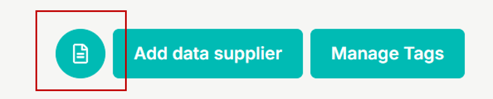
- Review the instructions
A page will pop up showing the required columns and data types for the CSV file. You can also download a sample CSV template from this page to ensure your file is correctly formatted. This helps the system read your supplier data accurately. - Upload your CSV file
Once your CSV file is ready, click "Next" and either drag and drop your file into the upload area or click to browse and select the file from your computer. - Preview your data
An overview of the supplier data you are about to import will be displayed. This preview will show if any data is missing or incorrectly formatted. - Import your suppliers
After reviewing the data, click the "Import" button. Your suppliers will then appear in the "My Value Chain" section.
If you experience any issues or have questions about uploading your supplier list, please contact us at support@compera.no